
How to Use QR Codes
on Street Signs
Provide local history, directions, or city services info to pedestrians.
More and more cities are implementing digital technologies to improve city operations and become more environmentally sustainable. QR Codes are kingpin in connecting physical platforms to the digital realms, so it only makes sense to integrate them on street signs to engage people on another level.
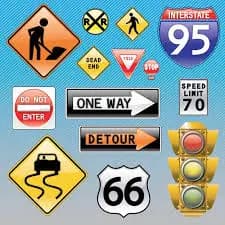
The benefits of applying QR Codes on street signs
QR Codes serve as powerful information points by connecting physical locations to the digital world. This allows cities to provide guidance, updates, and services in a more interactive way.
For example, municipalities can use QR Codes on street signs to share historical facts, background information, and cultural insights, adding new dimensions to urban exploration.
1. Keep the public informed
QR Codes help keep citizens updated on city projects, safety protocols, and community developments. By linking to social media or live updates, users can access real-time information with a simple scan.
2. A new way to discover cities
QR Codes make it easier to share engaging content about cities without needing excessive physical signage. They can link to audio tours, videos, or detailed information about locations.
For example, MP3 QR Codes can provide guided audio tours, while Video QR Codes can offer visual content about city projects or attractions.
3. Accessible to a wide range of users
With the growing number of smartphone users, QR Codes have become highly accessible. Most modern devices include built-in QR scanners, making it easy for anyone to interact with QR Codes instantly.
4. Building a more digital city
QR Codes allow cities to collect feedback and improve services. By linking to feedback forms, citizens can easily share their opinions about public spaces and developments.
5. Easily integrate it into your aesthetic
QR Codes can be customized to match the design of street signs. You can adjust colors, frames, shapes, and add logos or call-to-action messages to ensure consistency with your city branding.
6. QR Codes help you track, measure, and plan
Unlike traditional signage, QR Codes provide measurable data. Using dynamic QR Codes, you can track scans, locations, devices, and user behavior to evaluate performance and improve future initiatives.
💡 Pro Tip
Inform & Guide Pedestrians
QR Codes on street signs can provide maps, historical info, or nearby promotions. Make navigation interactive and informative for passersby.
How to create a QR Code on street signs?
- Select a QR Code type (e.g., URL QR Code)
- Enter your website or content link
- Generate the QR Code
- Customize the design (frame, logo, colors)
- Download the QR Code
- Add it to your street sign or sticker
Note: Dynamic QR Codes allow you to update content without replacing the printed QR Code.
QR Codes on street signs best practices
1. Customize your design
Match your QR Code design with your branding to maintain a consistent and professional look.
2. Use the appropriate size
Ensure your QR Code is at least 2 x 2 cm for proper scanning. Larger sizes improve readability and usability.
3. Add a call-to-action
Include a clear CTA like “Scan for info” to encourage users to interact with the QR Code.
See QR Codes on street signs in action
Improve parks and recreation centers
Use QR Codes to collect feedback about parks and public spaces, helping improve facilities based on user input.
Create a one-stop information hub
Provide audio guides, city updates, and event information through QR Codes, turning street signs into digital information hubs.
Community engagement made easy
Encourage citizens to participate in community services by linking QR Codes to email forms or registration pages.
Connect tourists to your city app
Help tourists discover your city by linking QR Codes to mobile apps that provide guided tours and cultural insights.
Boost traffic to your website
Direct users to official city websites for information on services, events, and resources, making essential information easily accessible.
Get Started Free
Ready to make your scan-worthy?
Create a free dynamic QR code in 30 seconds. No account needed to start.