
How to Use QR Codes
on Menus
Provide contactless ordering and up-to-date pricing for diners.
The video game industry is shifting its attention to virtual and augmented reality and mobile gaming technology as they rise in popularity. So if you are looking for a way to upgrade your video games, look no further than to the mobile-optimized QR Code.
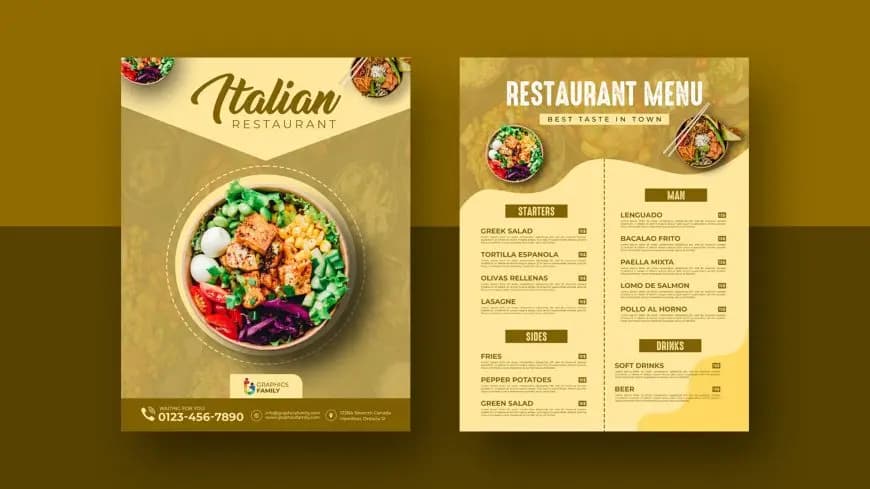
Create a Menu QR Code for Your Restaurant
What is a Restaurant Menu QR Code and How Does It Work?
Restaurant Menu QR Codes provide a seamless way for customers to access menus directly on their smartphones. Simply scan the code displayed on the table to view the menu—no printed menus needed. Originally popularized during the pandemic, these codes remain a convenient solution for diners.
Why Use a QR Code for Restaurant Menus?
- Go green: Reduce paper waste and printing costs by offering a digital menu.
- Easy access: Customers can view menus, place orders, and pay directly from their phones, saving time for waitstaff and reducing errors.
- Brand every element: Customize QR Codes with colors, frames, and logos to match your restaurant’s identity.
- Contactless orders and payments: Dynamic QR Codes can link to mobile ordering platforms for a smooth, safe dining experience.
- Quick updates: Edit menu items, pricing, or specials instantly without reprinting with Dynamic QR Codes.
- Accessibility: Use PDF QR Codes to provide visual menus with larger text, images, and “Read Out Loud” features for inclusivity.
💡 Pro Tip
Enhance Your Menu Experience
QR Codes on menus can display nutritional info, allergen details, videos of food prep, or ordering links. Make it easy for customers to explore and order digitally.
How to Create a QR Code for Your Restaurant Menu
- Log in or Sign up to QR Code Generator PRO.
- Select “Create QR Code” and choose PDF, or paste a URL.
- Upload your menu PDF (up to 20MB) and optionally add a mobile-friendly landing page.
- Add your restaurant name, menu title, description, and website.
- Customize colors, patterns, frames, and call-to-action text (e.g., “Scan for Menu”).
- Download your QR Code in high-quality format for table tents, posters, or packaging.
Alternatively, create a static URL QR Code linking to your online menu—but note that scan tracking is only available with Dynamic QR Codes.
5 Ways to Spotlight Your Menu QR Code
- Table tents: Display QR Codes on tables for easy access during dine-in.
- Window displays: Allow passersby to view your menu before entering.
- Delivery vehicle wraps: Advertise your restaurant with QR Codes that link to your menu and online ordering.
- Food packaging stickers: Encourage repeat orders and engagement with QR Codes on takeout boxes.
- Custom coasters: Integrate QR Codes onto drink coasters to spark interest and explore your menu.
Best Practices for High-Quality Menu QR Codes
- Add mouth-watering images: Showcase your dishes in PDF menus for a visually appealing experience.
- Fill in your content: Include restaurant info and create a branded landing page to instill confidence.
- Customize your QR Code: Adjust shapes, colors, patterns, and frames to match your brand identity.
- Add your logo: Place your restaurant logo at the center of the QR Code and optionally on the loading page.
- Use the appropriate size: Ensure QR Codes are scannable. Minimum size is 2x2 cm, scaled based on scanning distance.
Get Started Free
Ready to make your scan-worthy?
Create a free dynamic QR code in 30 seconds. No account needed to start.