
How to Use QR Codes
on Digital Signage
Enable viewers to 'take the info with them' from digital screens and kiosks.
Digital signage offers marketing teams incredible flexibility when it comes to sharing up-to-date information. However, the great obstacle remains object hyperlinking, that means connecting physical objects to your internet sources. In comes the QR Code, connecting your audience to your social media channels, online stores, product, and services information. Scroll down to delve further into the wonders of the square Code.
The Benefits of Using QR Codes on Digital Signage
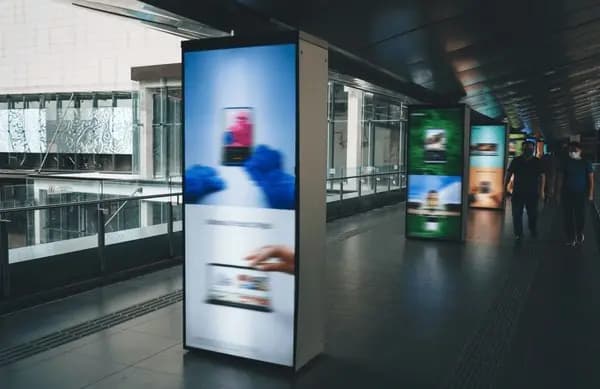
Combining QR Codes with digital signage reduces paper waste, allows real-time updates, and enhances customer engagement. This “tradigital” approach creates eco-friendly information sources while improving brand communication and user experience.
1. There is Something Different About QR Codes
QR Code scanning rates are rising steadily, with more users scanning multiple times. Worldwide smartphone adoption has also grown consistently, making QR Codes more accessible and effective than ever.
2. Show, Don’t Tell
QR Codes allow brands to communicate through action, visuals, and experiences rather than descriptions. Use Video QR Codes or Image Gallery QR Codes to share engaging content, or Event QR Codes to make sign-ups easy. Explore all QR Code types to find solutions for your campaign goals.
3. Editable and Updatable Information
Dynamic QR Codes allow edits, error corrections, or changes in QR Code type even after printing or launching a campaign. This flexibility ensures your signage remains accurate and up-to-date.
4. Boost Brand Awareness
QR Codes can be fully customized to match your marketing materials, allowing a seamless, branded experience regardless of the medium.
5. Gauge Your Success
QR Code Generator PRO tracks Dynamic QR Codes with metrics including frequency of scans, unique scans, location, date, time, device, and OS. Real-time analytics help you measure campaign performance accurately.
💡 Pro Tip
Make Digital Signage Interactive
Turn your digital screens into two-way engagement tools. Add QR Codes that link to promotions, event sign-ups, or exclusive content to convert viewers into active participants.
How to Create a QR Code on Digital Signage
- Go to QR Code Generator and select the type of QR Code for your signage (start with URL QR Code).
- Enter the website address.
- The QR Code will be generated automatically.
- Customize the design with a frame and “Scan Me” logo.
- Choose colors to match your brand identity.
- Download your QR Code in .jpg format.
- Integrate it into your digital signage.
Sign up to access Event, Video, Coupon QR Codes, with options to add visuals, edit information, use custom frames, and upload logos without reprinting.
QR Codes on Digital Signage Best Practices
- Add instructions: Include a short explanation to encourage users to scan the QR Code.
- Frame it: Use customizable frames with CTAs and color options to match your design.
- Add a logo: Place your brand logo in the center of the QR Code while keeping it scannable.
- Save your designs: Reuse branded QR Code templates across campaigns.
- Customizable URL: Edit your Dynamic QR Code’s short URL to build trust and improve brand recognition.
See QR Codes on Digital Signage in Action
Real Estate Signs
The Home Finders boosted property sales with vCardPlus QR Codes on digital signs, allowing prospective clients to schedule appointments instantly.
Networking for Finance & Insurance
Global Worth Trust promoted their app via App Store QR Codes on presentation slides, providing access to Apple, Google, and Amazon app stores while tracking scans during seminars.
Feedback for Government Agencies
Springfield City Council used Feedback QR Codes on public digital displays for surveys, enabling citizens to submit responses instantly. Categories and subcategories can be updated dynamically without re-uploading.
Unique Grand Opening Ideas for Retailers
Elle Boutique used Event QR Codes on digital signage for grand openings, allowing users to access event details and RSVP instantly, helping the team anticipate attendance.
Social Marketing for Non-Profit Organizations
Bees Foundation replaced printed brochures with PDF QR Codes on digital displays, letting users scan, save, and access e-brochures. Customizable buttons linked directly to donation pages, increasing engagement and fundraising.
Get Started Free
Ready to make your scan-worthy?
Create a free dynamic QR code in 30 seconds. No account needed to start.