
How to Use Barcode
on Table Tents
Contactless dining and events. Link to digital menus, WiFi access, or feedback forms.
How can you use Barcodes to enhance the reach of your marketing message? Barcodes can upgrade your campaigns and help you promote new items, services, special offers, and events on table tents.
The Benefits of Using Barcodes on Table Tents
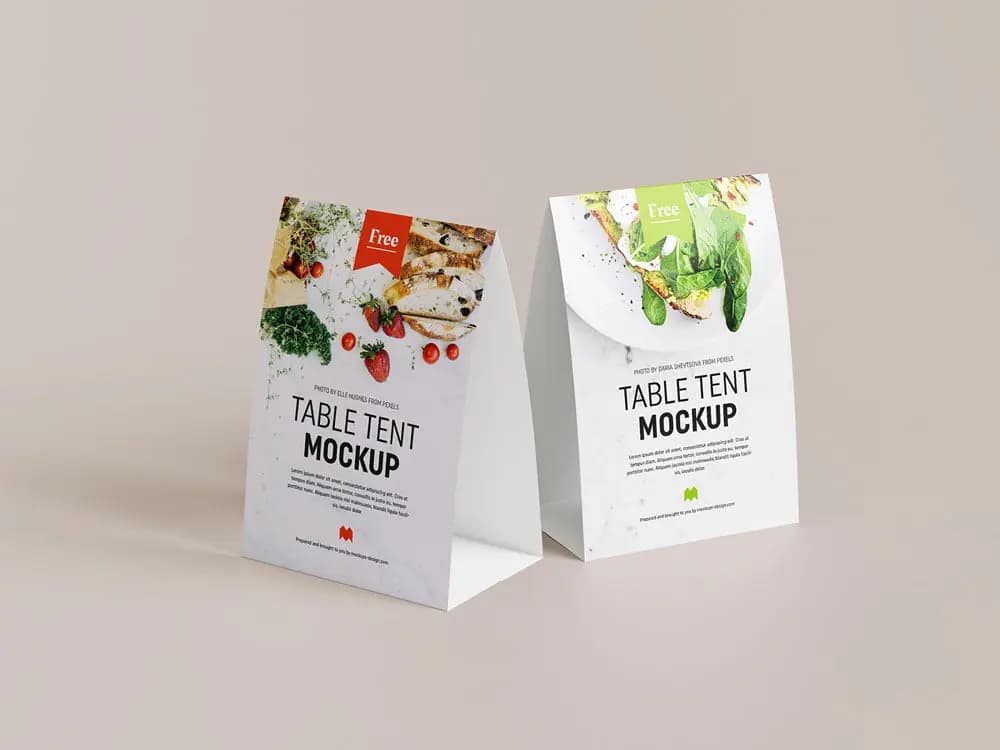
Table tents, also called table cards, are self-standing print materials for tables. They help upsell and cross-sell products or services. Barcodes enhance marketing potential by linking print to digital.
Benefits include:
- Increase brand awareness
- Draw traffic to event booths
- Promote exclusive offers
- Initiate networking opportunities
- Consolidate menus or information
- Enable easy access to products and services
Barcodes can store large amounts of data. Their high fault tolerance (up to 30% damage) and open-source availability make them valuable for table tents.
1. Small space, more information
Barcodes provide instant access to information while keeping table tents visually appealing. Restaurants can consolidate menus using Dynamic URL Barcodes, allowing customers to customize orders and boosting engagement, loyalty, and word-of-mouth marketing.
2. Bring online marketing to your table
Link table tents to social media with Social Media Barcodes. Customers can easily visit and share your profiles, increasing engagement.
3. A mobile-friendly world offline
Barcodes introduce customers to apps and digital content. App Store Barcodes guide users to download apps, while Social Media Barcodes increase followers with visible CTAs.
4. Track your marketing progress
Dynamic Barcodes allow you to monitor scans, locations, time, device, and OS. Real-time analytics help optimize marketing and measure impact accurately.
💡 Pro Tip
Track Table Assets Easily
Use barcodes on table tents to manage inventory, monitor placement, and streamline replacement or updates across locations.
How to create a Barcode on Table Tents?
- Select the Barcode type on a Barcode Generator (URL or vCard recommended).
- Enter your website or product information.
- Automatically generate the Barcode.
- Customize it with a frame and “Scan Me” logo.
- Choose colors matching your brand.
- Download the Barcode in .jpg or .png format.
- Integrate it into your table tent design.
Sign up to access Event, Video, or Coupon Barcodes with editable content and customization options.
Barcodes on Table Tents Best Practices
- Add instructions: Tell users what they gain by scanning the Barcode.
- Frame it: Use ready-made frames, CTAs, icons, shapes, and text to blend with your design.
- Add a logo: Place a brand logo or CTA in the center; auto-sizing keeps the Barcode scannable.
- Save your designs: Reuse branded Barcode templates across campaigns.
- Customizable URL: Adjust the short URL for brand recognition and trust.
- Test before printing: Minimum size: 2 x 2 cm; test multiple devices for readability.
See Barcodes on Table Tents in Action
Restaurants
Southern Restaurant printed App Store Barcodes on table tents to let customers order from any device, linking to Apple, Google, or Amazon app stores.
Business Consultants
Brixton Business Consulting added Image Gallery Barcodes to showcase client stories, graphs, and testimonials. The portable format allows easy transport to conferences.
Event Management
Verge Event Management placed Video Barcodes on wedding table tents, letting guests watch videos instantly on mobile-friendly pages.
Finance & Insurance Companies
Global Worth Trust printed Social Media Barcodes at conferences, allowing attendees to follow multiple social accounts quickly.
Retailers
Elle Boutique added Feedback Barcodes to checkout table tents, letting customers provide categorized feedback directly, improving response handling and satisfaction.
Get Started Free
Ready to make your scan-worthy?
Create a free dynamic Barcode in 30 seconds. No account needed to start.