
How to Use Barcode
on Flyers
Turn static paper into interactive gateways for events, promos, and direct digital sign-ups.
Flyers are still one of the most powerful and affordable marketing tools. By adding a Barcode, you can connect your offline promotions with real-world tracking systems, streamline operations, and improve campaign efficiency.
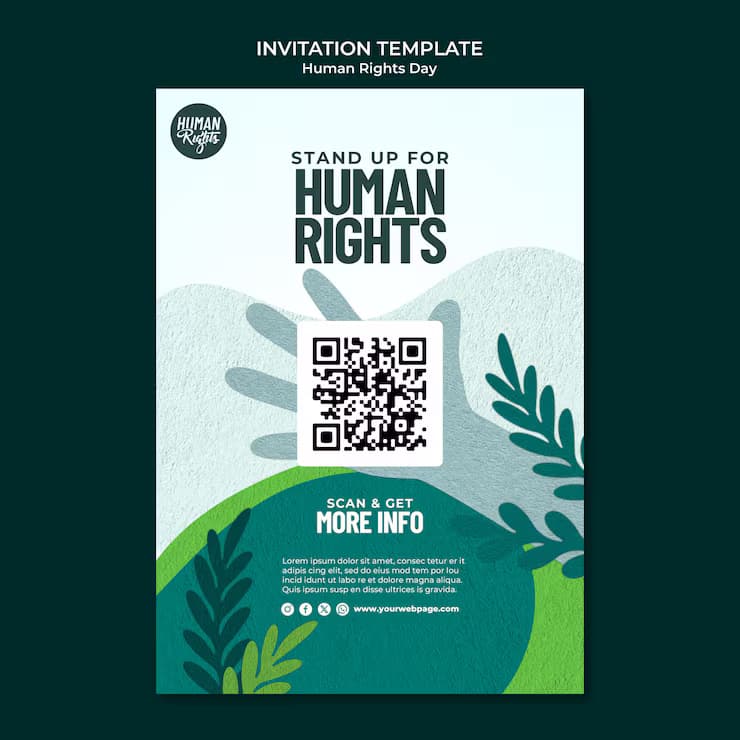
The Benefits of Using Barcodes on Flyers
Flyers continue to be a key part of offline marketing. By integrating barcodes, businesses can add functionality like tracking, validation, and quick data capture to their campaigns.
Instead of just displaying information, barcodes make flyers interactive in an operational way—allowing businesses to monitor usage, manage campaigns, and streamline processes.
Barcodes can also be used for coupons, event tickets, or product references, making flyers more useful and measurable.
Barcodes on Flyers: A practical marketing solution
Combining traditional flyer distribution with barcode technology allows businesses to track campaign effectiveness and improve targeting.
By assigning unique barcodes to flyers, you can monitor where and how they are used, helping you optimize future campaigns.
This approach bridges offline promotion with real-world data tracking, making your marketing smarter and more efficient.
1. Make it trackable
Add unique barcodes to each flyer batch to track distribution performance and measure response rates.
2. Make it redeemable
Use barcodes for coupons or discount offers. Customers can present the flyer, and businesses can scan it instantly at checkout.
3. Make it operational
Barcodes can store product IDs or references, helping staff quickly access product details or promotions linked to the flyer.
4. Make it efficient
Barcodes reduce manual work by enabling quick scanning instead of typing codes or searching for product details.
5. Make it reliable
Barcodes are simple, cost-effective, and work with almost all scanning devices, ensuring consistency across campaigns.
💡 Pro Tip
Track Flyer Distribution Efficiently
Use barcodes on flyers to monitor distribution, manage print batches, and analyze campaign reach across different locations.
How to create a Barcode on a Flyer?
- Go to a Barcode Generator and select the barcode type (Code 128, UPC, etc.).
- Enter the data you want to encode (coupon code, product ID, or reference).
- Your barcode will be generated instantly.
- Adjust size and resolution to match your flyer design.
- Download the barcode file (PNG or SVG).
- Add the barcode to your flyer layout.
Barcodes on Flyers Best Practices
To ensure your barcode works properly on flyers, follow these best practices.
1. Add clear instructions
Tell users what to do with the barcode, such as “Scan at checkout” or “Show this code for discount.”
2. Keep it readable
Avoid shrinking the barcode too much. Maintain proper spacing for accurate scanning.
3. Use high contrast
Always use dark bars on a light background to ensure scanners can read the code easily.
4. Maintain proportions
Do not stretch or distort barcodes, as it can make them unreadable.
5. Test before printing
Always test your barcode using multiple devices and scanners before printing large batches.
See Barcodes on Flyers in Action
Event Management
Event organizers use barcodes on flyers for ticket validation and attendee tracking.
Retail Promotions
Retailers use barcode flyers for discounts and coupons that can be scanned at checkout.
Logistics & Distribution
Companies use barcoded flyers for internal tracking and campaign distribution analysis.
Product Marketing
Businesses include product barcodes on flyers to quickly reference items in their inventory systems.
Healthcare & Services
Service providers can use barcodes for appointment tracking, service identification, or internal workflow management.
By using barcodes on flyers, you turn a simple marketing tool into a powerful system for tracking, efficiency, and operational success.
Get Started Free
Ready to make your scan-worthy?
Create a free dynamic Barcode in 30 seconds. No account needed to start.