
How to Use Barcode
on Brochures
Expand your real estate. Link to deep-dive videos or detailed digital catalogs from your print folds.
Share structured and essential information by using Barcodes on your brochures. Turn your printed materials into efficient tools for identification, tracking, and operational workflows.
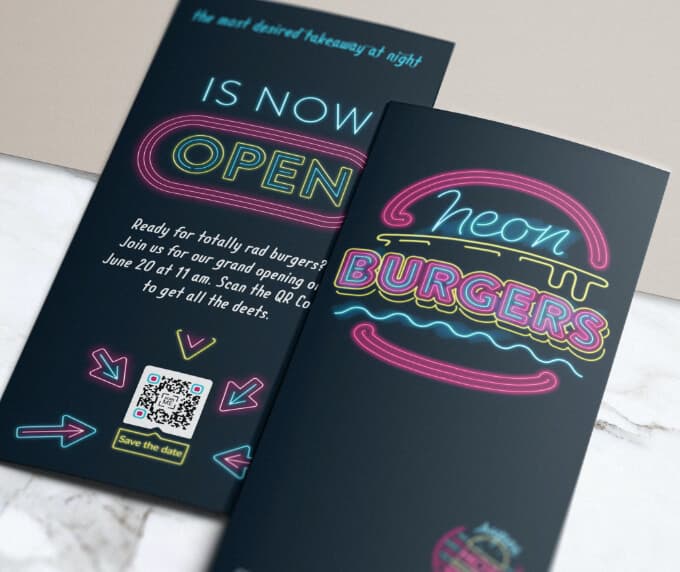
The Benefits of Using Barcodes on Brochures
Barcodes enhance brochures by adding functionality beyond simple information sharing. They enable fast data access, tracking, and efficient business operations.
Instead of relying only on text, brochures with barcodes can connect printed material with internal systems such as inventory, product databases, or service records.
1. Inform
Barcodes can store product IDs, service codes, or document references. This allows staff or systems to quickly retrieve detailed information linked to the brochure.
For example, a brochure can include barcodes for different products or services, enabling quick identification and lookup in a system.
2. Connect
Barcodes help connect offline materials with internal databases. Businesses can scan codes to access product details, pricing, or service information instantly.
This is especially useful in environments like retail stores, offices, or warehouses where quick data access is essential.
3. Engage operationally
Instead of traditional engagement like links or videos, barcodes enable operational interaction such as scanning for service requests, tracking usage, or verifying items.
This improves efficiency and reduces manual work for employees and customers.
4. Analyze
By assigning unique barcodes to brochures or campaigns, businesses can track distribution and usage.
This helps measure how effective your brochures are in different locations or campaigns.
💡 Pro Tip
Improve Brochure Management
Barcodes help organize brochure inventory, track usage, and streamline distribution across events, stores, or offices.
How to create a Barcode on a Brochure?
- Go to a Barcode Generator and choose the barcode type (Code 128, UPC, EAN, etc.).
- Enter the data you want to encode (product ID, service code, or reference).
- Your barcode will be generated instantly.
- Adjust size and format according to your brochure design.
- Download the barcode file (PNG or SVG).
- Place the barcode within your brochure layout.
Barcodes on Brochures Best Practices
To ensure your barcode works effectively, follow these best practices.
1. Add clear instructions
Let users know what the barcode is for, such as “Scan for product details” or “Use for identification.”
2. Maintain readability
Keep proper size and spacing. Avoid shrinking the barcode too much as it may become unscannable.
3. Use high contrast
Always use dark bars on a light background to ensure maximum scan accuracy.
4. Avoid distortion
Do not stretch or compress barcodes, as this can break their readability.
5. Test before printing
Test your barcode with multiple scanners and devices before printing brochures in bulk.
See Barcodes on Brochures in Action
Barcodes can enhance brochures across many industries by improving efficiency and data handling.
Educational Institutions
Schools can use barcodes to identify courses, materials, or student-related information quickly.
Service Companies
Home repair or maintenance businesses can include barcodes for service codes, allowing quick job tracking and management.
Healthcare
Hospitals and clinics can use barcodes for patient identification, medical records, or service tracking.
Retail
Retailers can include product barcodes in brochures so staff can quickly scan and retrieve product details.
Fitness & Wellness
Gyms can use barcodes for membership identification, class tracking, or service access.
By integrating barcodes into brochures, you transform simple printed materials into powerful tools for efficiency, tracking, and business operations.
Get Started Free
Ready to make your scan-worthy?
Create a free dynamic Barcode in 30 seconds. No account needed to start.