QRVertex Logo

QR Code And Barcode
Generator

best practice

How to Use QR Codes for WhatsApp Business?

January 10, 2024

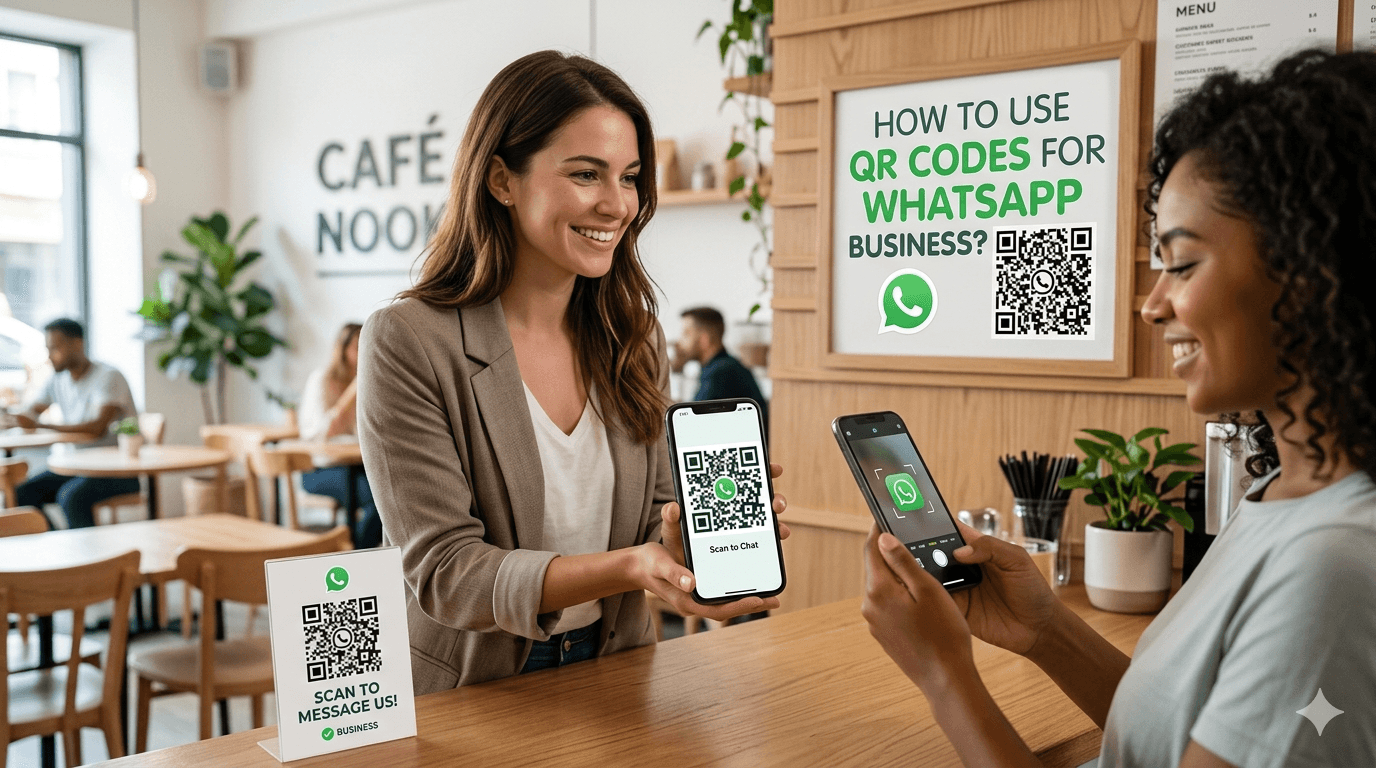
Imagine a customer spots your ad in a store. They pull out their phone, scan a simple square pattern, and boom—they're chatting with you on WhatsApp. No fumbling for numbers or typing long links. In a world where people expect instant replies, WhatsApp Business shines as your go-to tool for real conversations. QR codes make that connection even easier.

They cut out errors like wrong digits that kill sales and improve customer experience. Plus, they build trust by linking straight to your verified profile. Businesses see fewer drop-offs and higher conversion rates when chats start instantly.

This guide walks you through everything you need to know about using QR codes for WhatsApp Business. You'll learn setup, smart placement, and tips to boost your results using tools like QRVertex QR Code Generator.

Understanding the WhatsApp Business QR Code Functionality

QR codes for WhatsApp Business open doors to direct communication without hassle. They turn a quick scan into a powerful lead generation tool.

What is a WhatsApp Business QR Code?

A WhatsApp Business QR code is a scannable image built into the app. It instantly connects users to your business chat. When scanned, WhatsApp opens with your number pre-filled and even a ready-to-send message.

This feature helps both small businesses and large brands connect faster, eliminating manual steps. Learn more about WhatsApp Business features on WhatsApp Business official page.

The Technical Setup Process within the App

Getting your QR code ready takes just a few taps: Settings → Business Tools → Link → Create QR Code.

You can customize a pre-filled message like “Hi, I saw your ad” to improve engagement.

For advanced customization and tracking, you can also create QR codes using QRVertex dynamic QR tools.

Dynamic vs. Static WhatsApp QR Codes

WhatsApp provides static QR codes, meaning they cannot be edited after creation. If your number changes, you must generate a new one.

Dynamic QR codes, available through tools like QRVertex, allow you to update links, track scans, and optimize performance without reprinting codes.

Strategic Deployment: Where to Place Your WhatsApp QR Codes for Maximum Conversion

Placement is everything. A well-placed QR code can dramatically increase user engagement and lead capture.

Integrating QR Codes into Physical Marketing Assets

Use QR codes on product packaging, business cards, and store signage. Customers can instantly reach out for support, inquiries, or feedback.

Restaurants can place them on menus for instant ordering, while retail stores can use them at checkout for customer support.

Leveraging Digital Channels with WhatsApp Scannables

Even in digital spaces, QR codes remain powerful. Add them to:

They help bridge the gap between devices, enabling seamless cross-platform interaction.

Event Marketing and Trade Show Applications

At events, QR codes act as instant lead capture tools. Attendees scan and connect immediately, allowing you to follow up later.

Use them on banners, badges, and booth displays to maximize visibility.

Enhancing Lead Generation and Customer Service with Automated Messaging

Designing Effective Pre-Filled Welcome Messages

Your welcome message is your first impression. Keep it short, clear, and action-driven.

Example: “Tell me more about your product” or “I need help with my order.”

Strong messages can increase response rates by up to30%.

Integrating QR Codes with CRM and Automation Tools

Combine QR codes with tools like Bitly for tracking or CRM systems for lead management.

Automation helps you respond instantly and improves customer satisfaction.

Utilizing QR Codes for Feedback and Reviews

Add QR codes to receipts or packaging to collect customer feedback.

Example: “Rate your experience” → opens WhatsApp chat.

Best Practices for Optimizing QR Code Performance

Ensuring Code Legibility

Use at least 2-inch size, high contrast, and proper spacing. Always test on multiple devices.

Tracking Performance

Use different QR codes for different placements to track performance. Tools like QRVertex make this process easier.

Maintaining Security and Trust

Clearly label your QR codes and ensure your WhatsApp account is verified. Trust directly impacts scan rates.

Conclusion: The Future of Instant Business Communication

QR codes combined with WhatsApp Business create a powerful system for instant communication.

By using smart placement, optimized messaging, and tools like QRVertex, you can significantly boost engagement and conversions.

Start today—create your first QR code and turn every scan into a potential customer.

Frequently Asked Questions

How to create QR code for WhatsApp to get instant replies?

You can easily set up a basic code directly inside the app by navigating to your Business Tools. However, to add a pre-filled welcome message and ensure a mobile-friendly experience that captures leads instantly, using a dedicated QR code editor provides much better customization and control.

Should I use a dynamic QR code generator for my WhatsApp Business account?

Yes, because the default codes provided by the app are static, meaning if your business phone number changes, the printed code breaks completely. By using a dynamic format in QRVertex, you can update your destination URL at any time without reprinting your flyers, and you unlock valuable campaign tracking to see exactly where your scans are coming from.

How to create a QR code with logo for free for my WhatsApp chat?

Building customer trust is crucial before someone initiates a chat, so using a free QR code generator with logo features is a highly effective strategy. You can design a custom QR code with brand colors that features the WhatsApp icon right in the center, just be sure to maintain high contrast so the scanner can read it quickly.

What is the best size for a WhatsApp QR code on physical marketing assets?

To ensure your print-ready QR code functions perfectly, it should be at least 2 inches in size for physical assets like product packaging or store signage. Proper sizing combined with clear spacing prevents scanning errors and guarantees a high scan rate when customers try to reach your support team.

What is the best free QR code generator online for lead generation?

For turning quick scans into real conversations, QRVertex is a top-tier choice that handles everything from automated messaging routing to robust digital linking. It acts as both a powerful QR code tracker and a standard barcode generator, giving you the flexibility to place reliable chat links on everything from receipts to trade show banners.

Why is my printed WhatsApp Business QR code not scanning?

This usually happens due to poor legibility, low color contrast, or a lack of sufficient error correction in the design. Always physically test your code on multiple devices before committing to print to ensure the chat window opens instantly without frustrating your potential buyers.

Can an editable QR code help me track my event marketing success?

Absolutely. By deploying dynamic codes at your trade show booths or on event banners, you can measure exact scan volumes and user engagement. This advanced QR code analytics and tracking data lets you know exactly which physical placements are driving the most direct WhatsApp conversations.

Do QR codes generated with QRVertex expire if I print them on product packaging?

If you need a reliable QR code generator no expiry, the static options created on QRVertex remain permanently active without ever timing out. This guarantees that the WhatsApp support links printed on your packaging will continue to connect buyers to your customer service reliably for years to come.