
Introduction
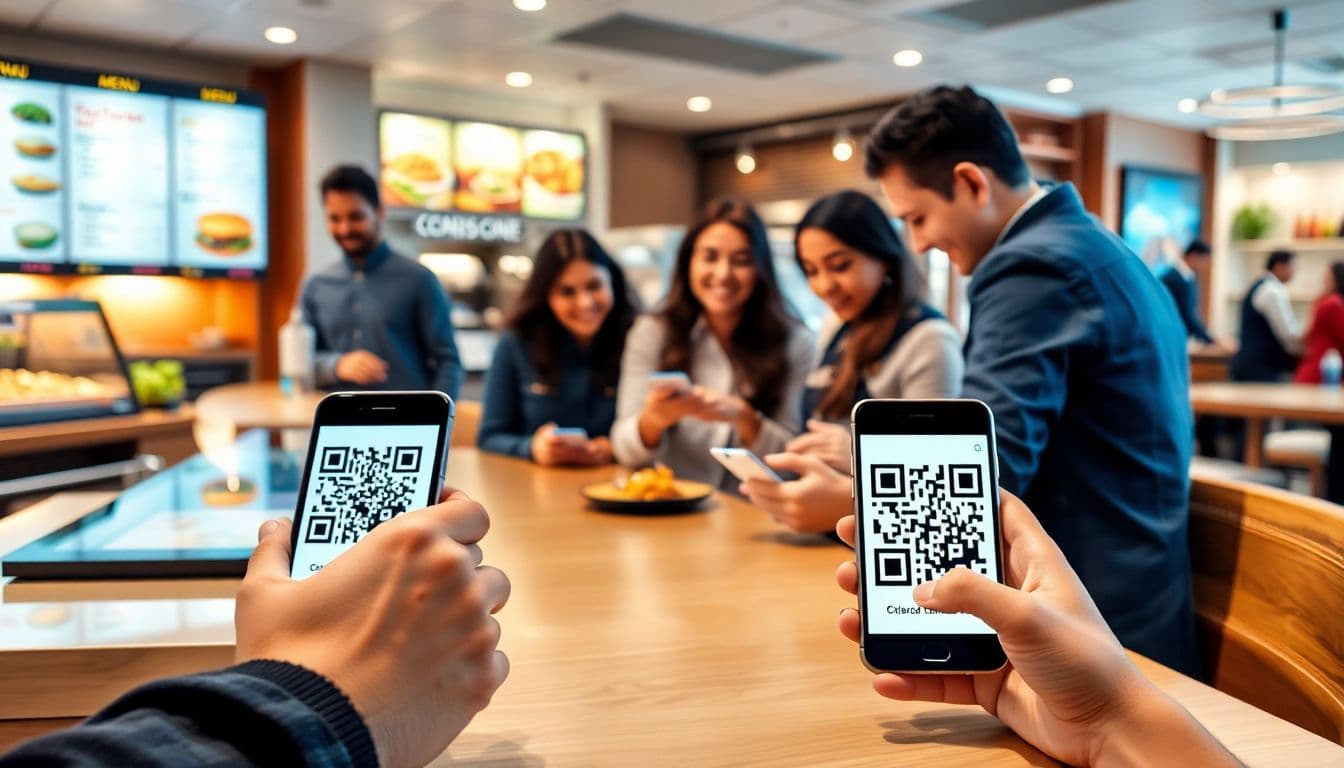
The way customers order food has shifted drastically over the last few years. Travel bans, health concerns, and a desire for convenience pushed many restaurants toward contactless options. QR codes quickly became the go-to solution for safe, easy ordering. They help restaurants operate smoothly while customers feel secure.
QR codes boost efficiency, reduce mistakes, and make dining faster. They also open new ways to connect with customers and gather useful data. This guide explains how QR codes are changing quick-service restaurants. You’ll learn how to get started, what to consider, and how top brands are using them successfully.
Understanding QR Codes and Their Role in Quick-Service Restaurants
What Are QR Codes and How Do They Work?
QR codes are square-shaped barcodes that store data. When scanned with a smartphone, they open a website or digital menu. These codes encode information that makes ordering simple. They’re quick to scan and don’t need special equipment.
QR Codes have been around since the 1990s, originally developed to label automobile parts. These square, dot-matrix codes quickly spread to other industries because they could hold much more information than traditional barcodes. However, for a long time, they were primarily used for internal operations—until the COVID-19 pandemic changed everything.
Originally developed in Japan for manufacturing, QR codes are now used in retail, airports, and restaurants. They help bridge the gap between the physical and digital world.
Benefits of Using QR Codes for Ordering
Using QR codes offers many perks:
- Contactless experience: Customers scan instead of touching menus or payment terminals.
- Faster service: Orders go straight to the kitchen, cutting wait times.
- Low cost: No need to reprint menus or invest in complex hardware.
- Data insights: Gain valuable info about preferences and trends to improve service.
Examples of Successful QR Code Adoption
McDonald's and KFC adopted QR codes early. McDonald’s saw improved order accuracy and service speed with digital menus. KFC streamlined contactless payments, resulting in better customer satisfaction and increased sales. See how McDonald's uses QR codes.
Implementing QR Code Contactless Ordering Systems
Choosing the Right QR Code Solution
Pick a system that fits your operations. Look for:
- POS system compatibility
- Easy menu updates
- Data tracking features
- Integrated payment options
Compare platforms like Toast, Square, or custom-built systems to find the best match for your restaurant size and goals.
Designing and Generating QR Codes
Create clear, scannable QR codes. Avoid overly dense patterns. Place them in visible areas—like tables, counters, or doors. Use laminated or waterproof materials for durability. Make sure they're accessible for all customers.
Integrating QR Codes into Your Operations
Train staff to assist customers. Use systems that allow for real-time menu updates. Link your QR codes to digital menus, ordering portals, and secure payment gateways. This cuts staff load and speeds up transactions.
Best Practices for Maximizing Engagement and Efficiency
Optimizing the Digital Menu Experience
Design your online menu for a great customer experience:
- High-quality images and simple names/descriptions
- Mobile responsiveness
- Easy navigation and fast load times
Encouraging Customer Adoption
Use clear signage and staff prompts. Offer discounts or loyalty points for QR-based orders. Gather feedback and continuously improve the process.
Ensuring Security and Privacy
Protect customer data by complying with privacy laws like the GDPR or FTC guidelines. Inform customers how their data is used, and regularly audit your systems for vulnerabilities.
Overcoming Common Challenges and Pitfalls
Technical Difficulties
If a QR code doesn’t scan, it might be damaged or poorly placed. Keep backup ordering methods like printed menus or staff-assisted options ready during busy periods.
Customer Resistance or Confusion
Not everyone is tech-savvy. Train staff to explain the system and place simple instructions near QR displays. Always offer traditional alternatives if needed.
Maintaining and Updating QR Code Content
Keep menus up to date. Remove unavailable items and feature current promotions. Use analytics to adjust based on what customers actually order.
Future Trends and Innovations in QR Code Ordering
QR codes will evolve with AI for personalized menus and AR for virtual dish previews. Integration with loyalty programs and touchless payments will increase. Restaurants will offer even smoother, more tailored experiences.
Conclusion
QR codes are transforming quick-service dining. They provide a faster, safer, and more efficient way to order and pay. With smart implementation, great design, and customer-friendly processes, restaurants can thrive in the digital age. Adopting QR code systems is more than a trend—it’s a strategic move toward a better customer experience.
Frequently Asked Questions
How to create QR code for restaurant menu to reduce wait times?
You can use a restaurant menu QR code generator to place digital menus directly on table tents, allowing diners to instantly browse and order from their smartphones. This eliminates the need to wait for physical menus, dramatically streamlining operations and enhancing the dining experience.
Should my cafe use a dynamic QR code generator for daily specials?
Yes, the restaurant industry moves fast, so an editable QR code is crucial for updating daily specials or removing sold-out items on the fly. A dynamic code lets you change the destination URL behind the scenes without having to reprint all the table displays across your dining room.
How to create a QR code with logo for free that matches my restaurant branding?
To elevate your quick-service presentation, you can use a free QR code generator with logo tools to embed your eatery's identity directly into the graphic. Just make sure your custom QR code with brand colors maintains high contrast so it is easy to read under dim restaurant lighting.
What size should a print-ready QR code be on a dining table tent?
To ensure hungry customers don't struggle to order, the print-ready QR code on your table tents should be at least 1.5 by 1.5 inches. Always account for food spills or lighting glares by utilizing high error correction to maintain a flawless scan rate.
Can a WiFi QR code generator improve the dining experience?
Absolutely, many quick-service restaurants use a static WiFi QR code generator at the register or on tables to let customers connect to the internet instantly. It is a highly mobile-friendly perk that keeps guests engaged while they wait for their food.
What is the best free QR code generator online for quick-service ordering?
To seamlessly transition to contactless dining, QRVertex offers a powerful balance of menu linking and reliable analytics. It serves as an intuitive QR code editor and barcode generator, helping food businesses streamline orders and reduce overhead costs.
How can QR code analytics and tracking help measure my menu scan rate?
By deploying dynamic codes on your tables, you can use a built-in QR code tracker to monitor exactly how many unique diners are browsing your digital menu each day. This deep level of campaign tracking helps restaurant owners optimize their menu layouts based on peak scanning times.
Do QR codes generated with QRVertex expire if I update my menu prices?
If you are looking for a QR code generator no expiry, static codes on QRVertex are completely permanent and will work forever. However, for a digital menu, utilizing a dynamic link ensures your table tents never expire while still allowing you to instantly update prices on your website.
Related Articles

The Ultimate Guide to QR Codes for Cafes: Menus, Marketing, and More
Discover how cafés can use QR codes for digital menus, marketing campaigns, loyalty programs, and more. This ultimate guide covers creative, practical uses to boost customer experience and streamline operations.
5 Ways to Use QR Codes for Gardening and Plant Care
Explore 5 smart ways to use QR codes in gardening and plant care—from plant ID and care tips to garden tours and DIY guides. Make your green space more interactive and informative.

How QR Codes Can Store and Share Rental History
Learn how QR codes can securely store and share rental history for tenants and landlords. Streamline background checks, rental applications, and property management with ease.