
Introduction
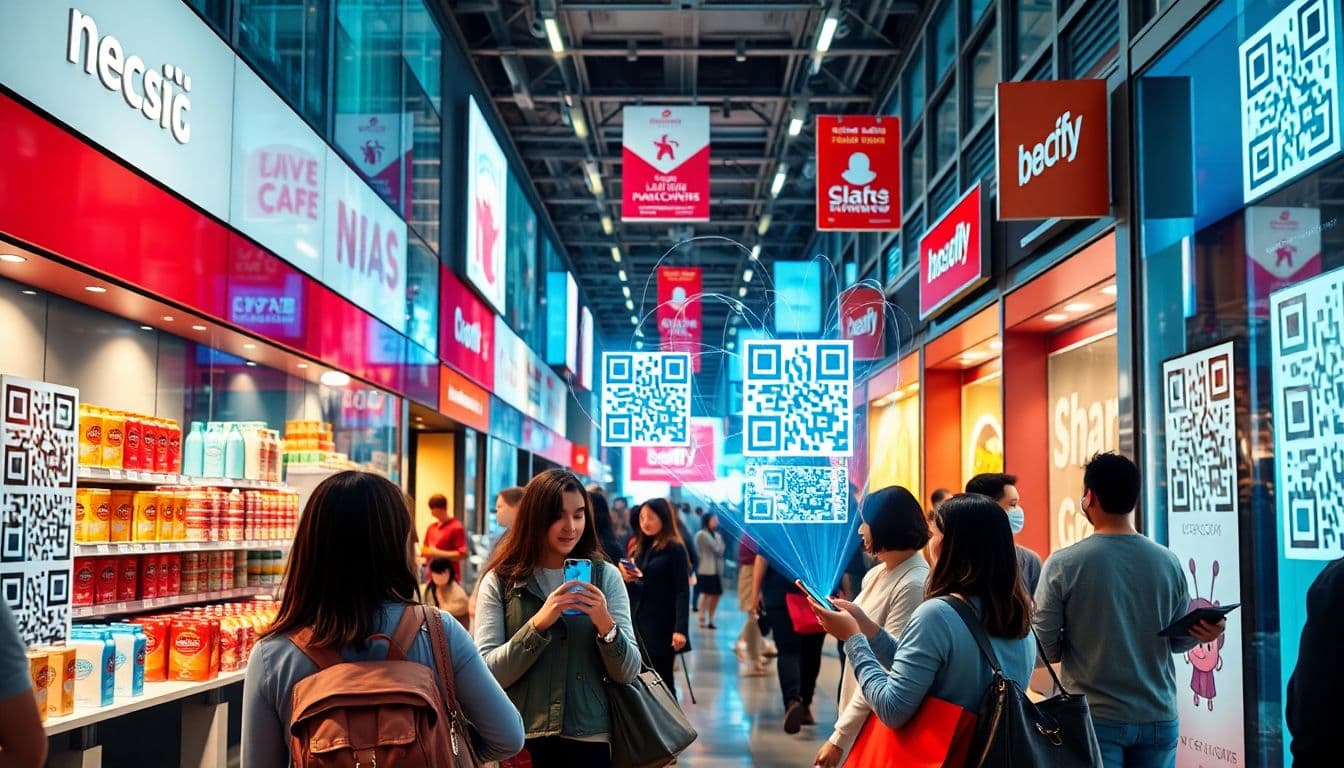
QR codes have made a big comeback as a simple way to connect with customers. Since the pandemic pushed more people to scan for quick info, businesses realized their potential. Today, mobile engagement with QR codes is growing fast, helping brands stand out. Using QR codes smartly can boost customer engagement and drive more sales. This guide covers everything you need to know: how to create effective QR codes, where to place them, how to track results, and tips for success.
Understanding QR Codes and Their Role in E-Commerce Marketing
What Are QR Codes and How Do They Work?
QR codes are square shapes filled with black modules. When scanned with a smartphone, they open a link or display info. They work because they store data in a machine-readable way. QR codes started in Japan for inventory, but now they help businesses connect digitally in seconds. Over the years, they’ve shifted from menus to marketing tools.
The Benefits of Using QR Codes in E-Commerce
QR codes make shopping easier for customers. They link directly to products, discounts, or loyalty programs. This quick access makes people more likely to buy. QR codes also provide useful data about customer preferences. Since they’re contactless, they add a layer of safety and convenience.
Key Statistics Supporting QR Code Usage
Mobile commerce has grown 35% in the last two years. Consumers prefer quick, contactless options, with 70% willing to scan a QR code for discounts. Brands that use QR codes see 25% higher engagement rates. These numbers show how powerful QR codes are for online and in-store shopping.
Setting Up Effective QR Codes for Your E-Commerce Store
Creating QR Codes That Convert
Design your QR codes to stand out. Use vibrant brand colors and add your logo. Keep the code clear and avoid clutter. Test scans from various devices to ensure quality. Remember, a neat, appealing code encourages more scans.
Linking QR Codes to Strategic Content
Link each QR code to a specific landing page, like a product, a special deal, or a signup form. Make sure the pages are mobile-friendly and load quickly. Clear calls-to-action, like “Scan to Save” or “Get Your Discount”, motivate customers to act right away.
Choosing the Right QR Code Generator
Pick a trusted platform that offers customization and analytics. Look for tools that help design visually appealing codes and track scans. Some popular options include Qr Code Generator, Unitag, and Scanova. Budget and features matter—pick what fits your needs best.
Strategic Placement and Campaign Integration
Where to Place QR Codes for Maximum Impact
Think about your customer journey. Put QR codes on product packaging, labels, or shipment boxes. Place them on in-store displays or signs at the checkout. Also, include them in digital content—like social media posts, emails, or website banners—to reach wider audiences.
Designing Campaigns Around QR Codes
Create limited-time offers that customers get by scanning. Use QR codes for special events or pop-up shops to boost foot traffic. Pair codes with exciting visuals or emojis to catch the eye. Use the element of exclusivity to make customers eager to scan.
Real-World Examples
Nike added QR codes to shoe boxes, linking to exclusive videos or new releases. Sephora used QR codes on store displays, giving instant access to product reviews and tutorials. Both brands saw increases in engagement and sales after using QR codes creatively. For more case studies, read this About Qr Codes on Products..
Tracking, Analytics, and Optimization
Measuring QR Code Performance
Use analytics tools to monitor how many people scan, where they are from, and what device they use. Track which placement gets the most scans. This data helps you decide what works best and where to focus your efforts.
Analyzing Data to Improve Campaigns
Identify top-performing locations and content. Try different designs or links and see what gets the most scans. Use A/B testing to refine your approach. Small changes can make a big difference in results.
Tips for Continuous Optimization
Keep your landing pages updated with new offers. Adjust QR code placements if you notice low engagement in certain areas. Regularly check your data, and tweak to get the best results over time.
Best Practices and Compliance Considerations
Designing User-Friendly QR Codes
Make sure your codes scan easily in different lighting and on various devices. Keep the code size large enough and avoid too much background noise. Add short prompts like “Scan Here” to guide users.
Ensuring Security and Privacy
Protect customer info linked to QR scans. Use secure links and avoid collecting unnecessary data. Follow privacy laws like GDPR and CCPA to build trust and stay compliant.
Staying Ahead with Innovative Uses
Explore new tech like augmented reality (AR) that works through QR codes. Create interactive or gamified campaigns to surprise and delight customers. The goal is to keep your marketing fresh and engaging.
Conclusion
Using QR codes can pack a punch for e-commerce growth. They easily connect customers to your brand with just a quick scan. When done right, QR codes can boost sales, gather useful insights, and make shopping more fun. Act fast—start creating your QR codes today and watch your engagement soar. Keep testing and refining your strategy for long-term success. Your next loyal customer might just scan the code right now.
Frequently Asked Questions
How can a URL QR code generator boost my e-commerce sales?
By placing a URL QR code generator link on your physical shipping boxes, you instantly connect offline buyers back to your digital storefront. Scanning the code provides a frictionless way for customers to view related products or claim mobile-friendly discount codes.
Why do e-commerce brands need a dynamic QR code generator?
E-commerce moves fast, making an editable QR code built with dynamic technology essential for flash sales. It allows you to update the destination URL behind the scenes without ever needing to reprint the physical packaging sitting in your warehouse.
How to create a QR code with logo for free for my unboxing experience?
An aesthetic unboxing experience drives brand loyalty. You can easily use a free QR code generator with logo tools to create a custom QR code with brand colors that blends seamlessly into your beautiful packaging design while remaining perfectly scannable.
What is the best size for a print-ready QR code on product inserts?
To guarantee your promotional inserts work flawlessly, ensure your print-ready QR code is at least 1.2 by 1.2 inches. Always utilize high error correction and physically test the prints to ensure your customers experience a flawless scan rate.
Can an app store QR code generator help grow my e-commerce mobile app?
Yes, utilizing a scan to download app QR code on your marketing flyers is the fastest way to drive installations. It automatically detects the user's operating system and routes them to the correct app store, streamlining their mobile shopping setup.
What is the best free QR code generator online for online retailers?
For e-commerce marketing teams looking to bridge physical and digital sales, QRVertex is a highly versatile platform. It functions as an intuitive QR code editor and a free barcode generator online, helping you implement smart marketing strategies easily.
How can a social media QR code generator improve post-purchase engagement?
Including a QR code for social media profile on your packing slips encourages satisfied buyers to instantly follow your brand. This simple scan turns one-time purchasers into an active online audience, significantly boosting your long-term customer engagement.
Do QR codes generated with QRVertex expire on old product packaging?
If you need a QR code generator no expiry, static codes from QRVertex are permanent and will work forever. However, e-commerce brands should rely on dynamic codes so that printed packaging can always be securely redirected to active product pages year after year.
Related Articles

The Ultimate Guide to QR Codes for Cafes: Menus, Marketing, and More
Discover how cafés can use QR codes for digital menus, marketing campaigns, loyalty programs, and more. This ultimate guide covers creative, practical uses to boost customer experience and streamline operations.
5 Ways to Use QR Codes for Gardening and Plant Care
Explore 5 smart ways to use QR codes in gardening and plant care—from plant ID and care tips to garden tours and DIY guides. Make your green space more interactive and informative.

How QR Codes Can Store and Share Rental History
Learn how QR codes can securely store and share rental history for tenants and landlords. Streamline background checks, rental applications, and property management with ease.