
QR Code And Barcode
Generator
December 24 , 2023

Adding a QR code to your resume might seem small, but it can make a big difference. Today, more employers want quick access to your digital profiles. QR codes are one way to stand out and show you're tech-savvy. This guide will help you understand how to incorporate a QR code effectively, design it well, and choose the best content to link.
QR codes help recruiters find your online presence fast. Instead of typing long URLs, they just scan the code. This saves time and shows you're comfortable with new tech. For example, a hiring manager can scan a QR code and instantly see your portfolio or LinkedInpage. It makes your application more professional and memorable.
With over 5 million job seekers across America today, relevant work samples and tailored cover letters are essential. They can help you stand out from the competition. With a QR Code, you can seamlessly share any information you want with potential employers—all in one place.
Recent surveys show most employers like to see multimedia elements in resumes. About 70% of recruiters say they view digital profiles before an interview. Candidates with QR codes are more likely to get called back because their info is easier to access. The use of QR codes can boost your chances of standing out in a crowded job market.
Some think QR codes are outdated or gimmicky. That’s not true. They are innovative tools for sharing digital content. Others worry about accessibility. Modern smartphones and scanners read QR codes easily, ensuring everyone can view your linked content without trouble.
Use trusted generators like Qr Code Generator or Canva to make your QR code. These tools produce clear, easy-to-scan codes. Ensure your code is high contrast — black on white works best. Test it on different devices to confirm it scans smoothly. Keep the size between 1x1 inch and 2x2 inches so it remains visible but doesn’t overpower your layout.
Put your QR code where it’s easy to find, like the top right corner or near your contact info. Avoid cluttered areas or placing it behind other design elements. A clean spot helps recruiters scan it quickly without distraction.
Make your QR code match your personal brand. Add colors that fit your style; for example, if you’re creative, go for vibrant hues. You can even add a small logo or icon inside the code, like a camera or pencil, to show what it links to. Keep it simple but professional.
Link to your main online space. This might be a personal website, online portfolio, LinkedIn profile, or even a short video intro. Pick the platform that best shows your skills and accomplishments.
Always test your links and QR codes on different devices and scanners. Make sure they work on smartphones, tablets, and computers. Use simple, easy-to-remember URLs if possible. This reduces errors and confusion.
Regularly check your linked pages. Update your portfolio with recent work, or refresh your LinkedIn profile. Make sure all links are active and secure to leave a good impression.
Do keep your QR code small but clear. Make sure it doesn’t overpower your resume’s design. Don’t add multiple codes — one is enough. Too many can look cluttered and confuse recruiters.
Use a high-quality image of your QR code. Blurry or stretched codes are hard to scan. Also, don’t hide it in hard-to-see areas. Keep it visible and easy to find.
Briefly mention why the QR code is there — for example, "Scan for portfolio." Include a small call-to-action, like "See my latest projects," to encourage scanning and engagement.
Many visual artists add QR codes to their resumes. They link directly to an online gallery or portfolio. This way, employers see their best work instantly, making a strong impression.
Many hiring managers prefer resumes that include digital elements. They find QR codes handy for quick review. Some say it shows candidates are modern and willing to use new tools.
In tech jobs, QR codes linking to GitHubrepositories or project showcases work well. In creative fields, linking to digital portfolios adds color to your application. Tailor your use to fit your field.
Adding a QR code to your resume is a smart move. It makes your application easier to scan and more professional. Always focus on good design, strategic placement, and relevant content. Testing your QR code and keeping linked pages updated will help you stand out. Be innovative and use this simple tool to make your resume truly memorable. Your next opportunity might just be a scan away.

Discover how cafés can use QR codes for digital menus, marketing campaigns, loyalty programs, and more. This ultimate guide covers creative, practical uses to boost customer experience and streamline operations.
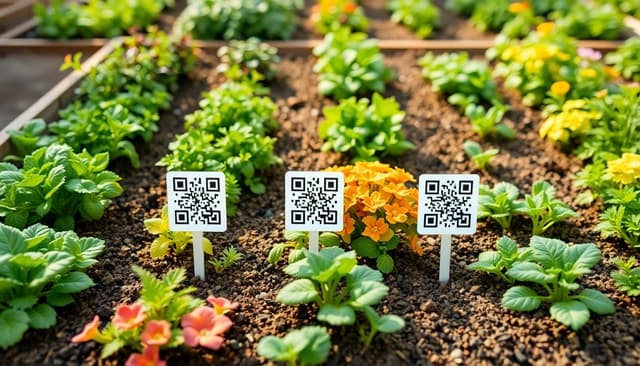
Explore 5 smart ways to use QR codes in gardening and plant care—from plant ID and care tips to garden tours and DIY guides. Make your green space more interactive and informative.

Learn how QR codes can securely store and share rental history for tenants and landlords. Streamline background checks, rental applications, and property management with ease.