
QR Code And Barcode
Generator
November 15, 2023
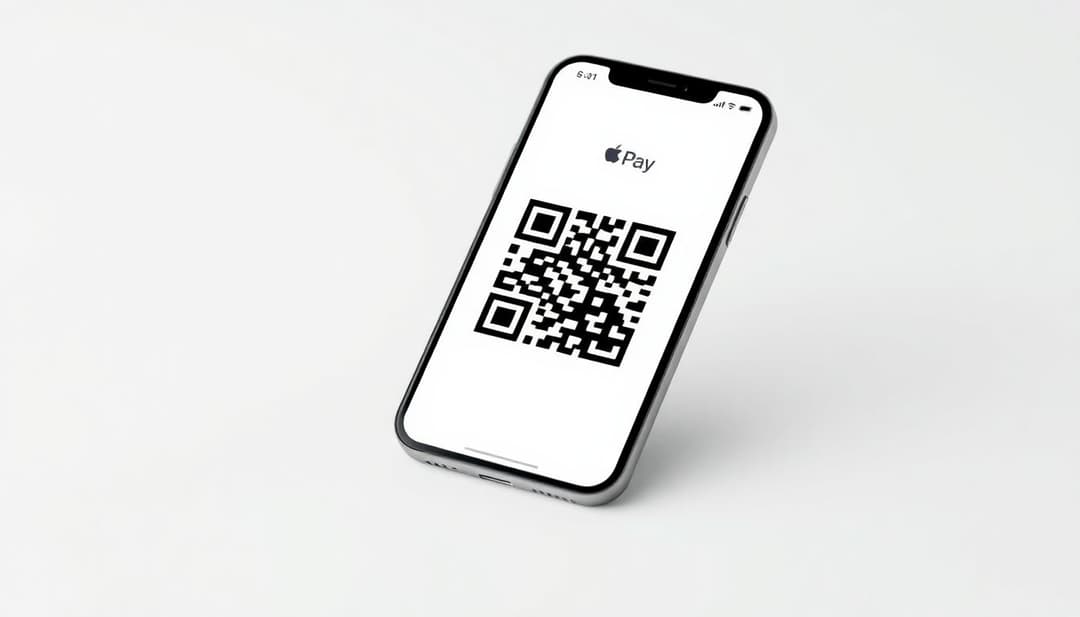
Ever fumble for cash or a card when you're trying to pay? Then you discover the smooth world of Apple Pay and QR codes. They're changing how we pay. Apple Pay is easy. QR codes are fast. When you put them together, paying turns into a snap.
Apple Pay and QR codes are separate cool things. But now they work together. This makes paying easier, safer, and gives you more ways to do it. Let's explore how they work!
Apple Pay lets you pay with your iPhone, Apple Watch, or iPad. It uses something called NFC. That stands for Near Field Communication. Just hold your device near a payment terminal, and boom, you're done. Easy peasy.
First, open the Wallet app on your iPhone. Next, tap the plus sign (+). Then, follow the steps to add your credit or debit card. You might need to verify with your bank.
Having issues? Make sure your card is supported. Check that your device software is up to date. Sometimes, restarting your device helps too.
In stores, look for the Apple Pay or contactless payment symbol. Hold your iPhone near the terminal. It’ll ask for Face ID or Touch ID. Once it verifies you, the payment goes through. It is really that simple!
For online purchases, look for the Apple Pay button during checkout. Tap it. Confirm your payment details. Use Face ID or Touch ID. Your order is placed.
QR codes are like barcodes, but better. Scan them with your phone's camera. They can send you to a website. They can also start a payment.
QR codes are great for payments because they're fast. It doesn’t cost a lot to use them. Just about anyone can scan one. This makes payments easier for more people.
Static QR codes are fixed. The info inside never changes. Dynamic QR codes can be updated. You can change where they take you or what they do.
Dynamic QR codes are better for payments. If things change, the QR code can be updated. You can also track how many people use them. Plus, you can monitor how they are used.
Merchants can create QR codes using online tools like QR Code Generator. Then a customer can scan the code. The code takes them to a payment page.
To scan, open your iPhone camera. Point it at the QR code. A notification pops up. Tap it to go to the payment page, which will prompt you to complete the payment with Apple Pay.
QR codes make Apple Pay even easier. They connect the physical world to your digital wallet.
Scan the QR code with your phone. Your phone opens an Apple Pay screen. Use Face ID or Touch ID to confirm. The payment is done.
Merchants get paid faster. Customers don't need to touch anything. Everyone wins. That is something everyone can agree on!
It's faster than using cash or cards. It's also safer. QR codes work with more types of devices. A small business that doesn't have the newest payment terminals may benefit.
Both are quite secure, but you should take precautions. It never hurts to be safe.
Apple Pay uses "tokenization". This means your card number isn't stored on your device. Instead, a unique code, called a "token" is used. This keeps your real card details safe.
Face ID and Touch ID add another layer of security. Only you can authorize payments. Even if someone steals your phone, they can't use your Apple Pay without your face or fingerprint.
Always check who you’re paying. Don't use public Wi-Fi for payments. It might not be secure.
Merchants should use trusted QR code generators. They should have strong security measures. Keep software up to date.
They will probably become more common. You might see them everywhere soon.
More stores and countries might start using them. You could get loyalty points automatically. It is likely that payments will become more integrated with rewards programs.
Some people are still unsure about them. Getting everyone to use them will take time. As they evolve, new ways to combat fraud will be needed.
Apple Pay and QR codes make paying much simpler. You get ease, safety, and flexibility. Just remember to be secure. Now, go try it out and see how it works for you.

Discover how cafés can use QR codes for digital menus, marketing campaigns, loyalty programs, and more. This ultimate guide covers creative, practical uses to boost customer experience and streamline operations.
Explore 5 smart ways to use QR codes in gardening and plant care—from plant ID and care tips to garden tours and DIY guides. Make your green space more interactive and informative.
Learn how QR codes can securely store and share rental history for tenants and landlords. Streamline background checks, rental applications, and property management with ease.